
Synology
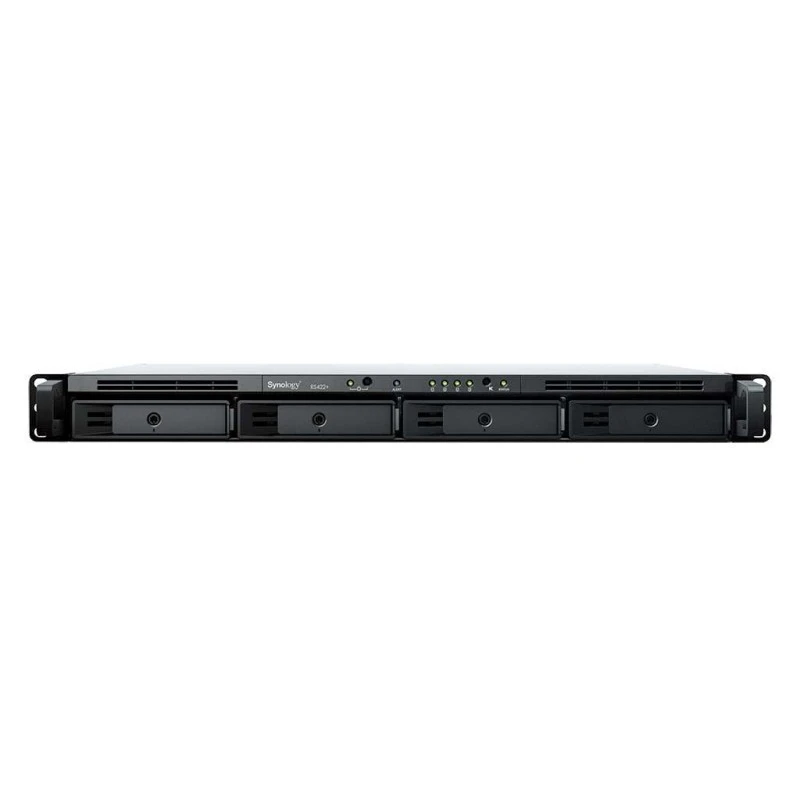
Synology RackStation 4-Bay NAS Enclosure - 8GB of DDR4 ECC RAM, 1U Form Factor, 4 x Gigabit Ethernet Ports, 3.5"/2.5" SATA Drive, Expansion Port, USB 3.0 Type-A | RS1619XS+
 7,499.00
 945.00
The TR-004 USB 3.2 Gen 1 RAID expansion enclosure allows you to expand the capacity of your QNAP NAS and PC. The TR-004 can also be utilized as a DAS (Direct-attached Storage) device, allowing you to directly access its content just by connecting it via USB. The TR-004 features four 3.5-inch SATA drive bays with multiple RAID configuration options and USB 3.2 Gen 1 Type-C connectivity to bring you a highly reliable and secure storage capacity expansion solution.
Non-Server versions of Windows have a 63TB limit for a single volume. Thus, when connecting QNAP storage expansion products, the same limitation applies. For volumes larger than 63TB, it is recommended to use the Windows Server operating system.
The TR-004 is an ideal storage expansion solution for PCs, especially for laptops which lack the ability to install larger, higher-capacity drives. Featuring four 3.5-inch SATA drive bays and supporting RAID configuration, the TR-004 provides the ability to store a vast number of files and data and to ensure protection against potential drive failure.

The TR-004 supports a variety of RAID configurations. Depending on your requirements, you can switch between hardware- or software-controlled RAID modes. Move the DIP switches to corresponding positions for your ideal RAID mode: Individual, JBOD, RAID 0, RAID 1/10 or RAID 5. You can also configure the RAID settings from your QNAP NAS, or by using the QNAP External RAID Manager utility on your computer.
» Learn more: External RAID Manager


| Brand | QNAP |
|---|---|
| Model | QNAP TR‑004 |
| SKU | 3911 |
| Warranty | 1 Year |
| Weight | 2.00 kg |
| Dimensions | 40x40x30 cm |
JBOD Connection Interface
USB
Main chip
Micro processor with hardware RAID
Drive Bay
4 x 3.5-inch
The system is shipped without HDD.
For the HDD compatibility list, please visit https://www.qnap.com/compatibility/
Drive Compatibility
3.5-inch SATA 3Gb/s slot (supports SATA 6Gb/s hard drives with backward compatibility, performance limited to 3Gb/s)
2.5-inch SATA 3Gb/s slot (supports SATA 6Gb/s hard drives with backward compatibility, performance limited to 3Gb/s)
2.5-inch SATA 3Gb/s slot (supports SATA 6Gb/s solid state drives with backward compatibility, performance limited to 3Gb/s)
You can only use one disk type (HDD or SSD) in a RAID group. Combining different types of disk in one RAID group is not supported.
TR-004 does not support the QDA-A2AR/ QDA-A2MAR.
Hot-swappable
USB 3.2 Gen 1 Port
1 x Type-C USB 3.2 Gen 1 (USB 3.2 Gen 1)
Form Factor
Tower
Dimensions (HxWxD)
168.5 × 160.2 × 219 mm
Dimensions do not include foot pad (foot pad may be up to 30mm / 1.18 inches high depending on model)
Weight (Net)
3.18 kg
Weight (Gross)
3.18 kg
Operating Temperature
0 - 40 °C (32°F - 104°F)
Storage Temperature
-20 - 70°C (-4°F - 158°F)
Relative Humidity
5-95% RH non-condensing, wet bulb: 27˚C (80.6˚F)
Power Supply Unit
Minimum 60W adapter (12VDC), 100-240VAC
Power Consumption: HDD Sleep Mode
4.17 W
Power Consumption: Operating Mode, Typical
18.21 W
Tested with drives fully populated.
Fan
1 x 120mm, 12VDC
System Warning
Buzzer
Kensington Security Slot
QTS / QuTS hero
Windows
Ubuntu
Mac
Used as Hardware RAID (DAS)
Standard Warranty
2
RAID 10
RAID 5+ Spare
RAID 5
RAID 1
RAID 0
JBOD
Single Disk
More from Network attached storage (NAS)
7,499.00
5,850.00
6,290.00
9,300.00
9,296.94
14,147.00
3,142.00
3,899.00
5,861.00
2,179.00
5,075.00
23,499.00
945.00Send us a message and our team will get back to you by email.